Introducing the Guest Experience, Quiz Workout Unlock, & Auto Login
We're excited to launch a set of new features focused on converting more of your app downloads into trials and members. New features include:
- Guest Account Experience so new users can try free content before signing up
- Free 1-Workout Quiz Unlock to boost conversions with a personalized free workout
- Automatic Login After Checkout for a seamless web-checkout-to-app experience
Guest Account Experience
New users can now explore your app and complete free workouts without creating an account.
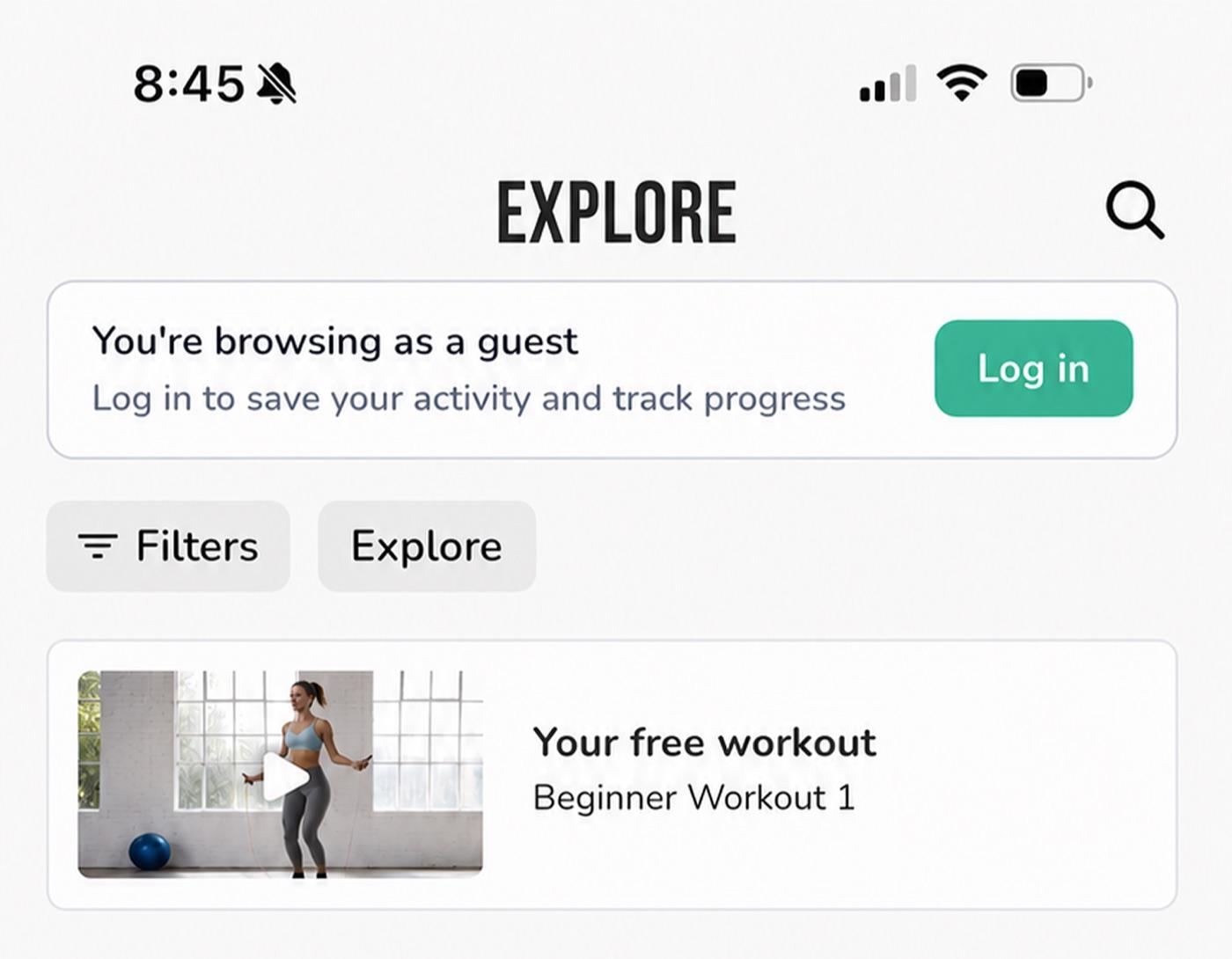
Previously, users who downloaded the app could explore and see what content was available, but were required to sign up before watching a video or starting a workout. This added friction, so now:
- New users land directly in Explore as guests, no longer being prompted to first welcome screen or signup or login
- Guests can browse all content, and can view, start, and complete free workouts and videos
- Free content is highlighted with a FREE pill for guests and non-subscribed users (hidden for paid members to reduce clutter), while paid content remains visible but locked
We've also rebuilt the conversion moments around the guest experience:
- After completing a workout, guests see a completion screen encouraging them to subscribe or create a free account to track progress and build streaks
- If a guest completes a workout and then signs up, their most recent completed workout is saved into their logs so their effort isn't lost
Free 1-Workout Quiz Unlock
First, the free 1-workout unlock is not enabled by default since we don't want to assume you'd like to offer it. We believe this can increase conversions, and you can enable it here.
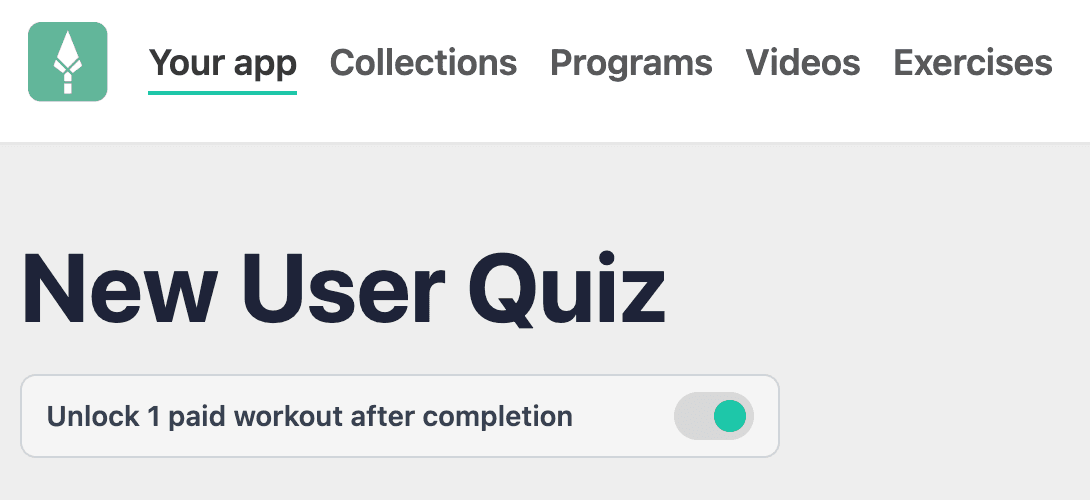
To pair with the guest experience, your onboarding quiz can now unlock one free workout for guests. Data from top fitness apps and our own past experiments (which showed roughly 30% higher conversion with a quiz) show that a quiz-first flow converts better, and a personalized unlock gives low-intent users a reason to press play.
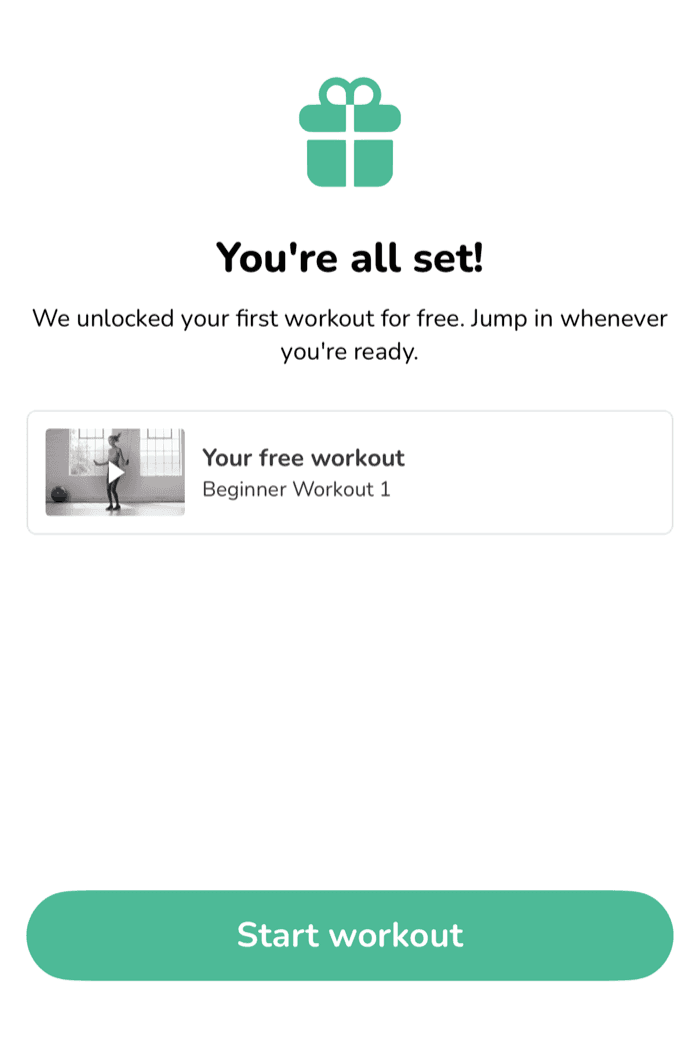
How it works:
- Once enabled, guests are greeted with the quiz and a note that completing it unlocks 1 free workout
- When they finish, the best-matched workout, video, or first workout of a program is unlocked for them, even if that content is normally paid
- Their free workout is pinned to a "Your free workout" card at the top of Explore so they can return to it anytime, and it persists across app sessions
Again this feature is off by default. You can enable it in the dashboard via the new "Unlock 1 paid workout after user completes quiz" toggle in your quiz settings. If disabled, guests skip the quiz entirely and go straight to Explore.
Automatic Login After Checkout
Users who purchase through your web checkout now get logged into the app automatically. Previously, someone who paid on your sales page had to download the app, then manually log in, an extra step where users could get confused or drop off.
Now, after completing checkout:
- The success page shows an "Open App & Log In Automatically" button
- Tapping it opens the app and signs them in, skipping the guest experience and taking them straight to the member experience (including your quiz)
- If the app isn't installed yet, the link routes through the App Store and completes the login on first launch
- If a user is already logged into a different account, they're shown a clear choice to stay logged in or switch to the account from their purchase
Auto-login links are single-use and expire after 30 minutes for security. If a login link fails for any reason, users are shown a clear message directing them to log in manually, so no one gets stuck.
Summary
This release is about removing friction at every step of the new-user journey. The Guest Account Experience lets users try before they sign up, the quiz unlock gives them a personalized reason to engage and convert, and automatic login makes web purchases flow seamlessly into the app. Together, these should help turn more downloads into engaged, paying members.