Introducing One-Time Product Improvements & Billing Management at Checkout
Since launching Product Builder, we've been improving the experience around one-time products for both you and your customers. This release makes purchases easier to manage, renew, and discover, and adds clarity to your checkout pages. New features include:
- Purchased Products Page so members can find everything they've bought in one place
- Expiration Dates & Renewals to make access clear and easy to extend
- In-App Product Discovery to help buyers find their next program
- Ready for Sale Checklist to make it clear what steps are needed to launch a product
- Billing Management at Checkout for browser access to the Stripe Billing Portal
Purchased Products Page
One-time products now have a home inside the app. Members who've purchased a one-time product get a dedicated Purchased Products page that acts as their personal purchase library:
- Every one-time product they've bought is listed in one place, with "Access ends" dates shown for time-limited products
- Filters let members view "All", "Active", or "Expired" purchases
- Expired products stay in the list with an "Expired" label instead of disappearing, so members keep a record of what they've completed
Expiration Dates & Renewals
Previously, when a one-time product expired it simply disappeared from the member's app. Now expiration is visible ahead of time, and members can renew their access:
- Products expiring within 7 days show an "Ending soon" notice on their cards and inside purchased tabs, and eligible products show an option to renew
- Products with a fixed end date (like a summer challenge) simply show that access has ended, while preserving the member's completion history
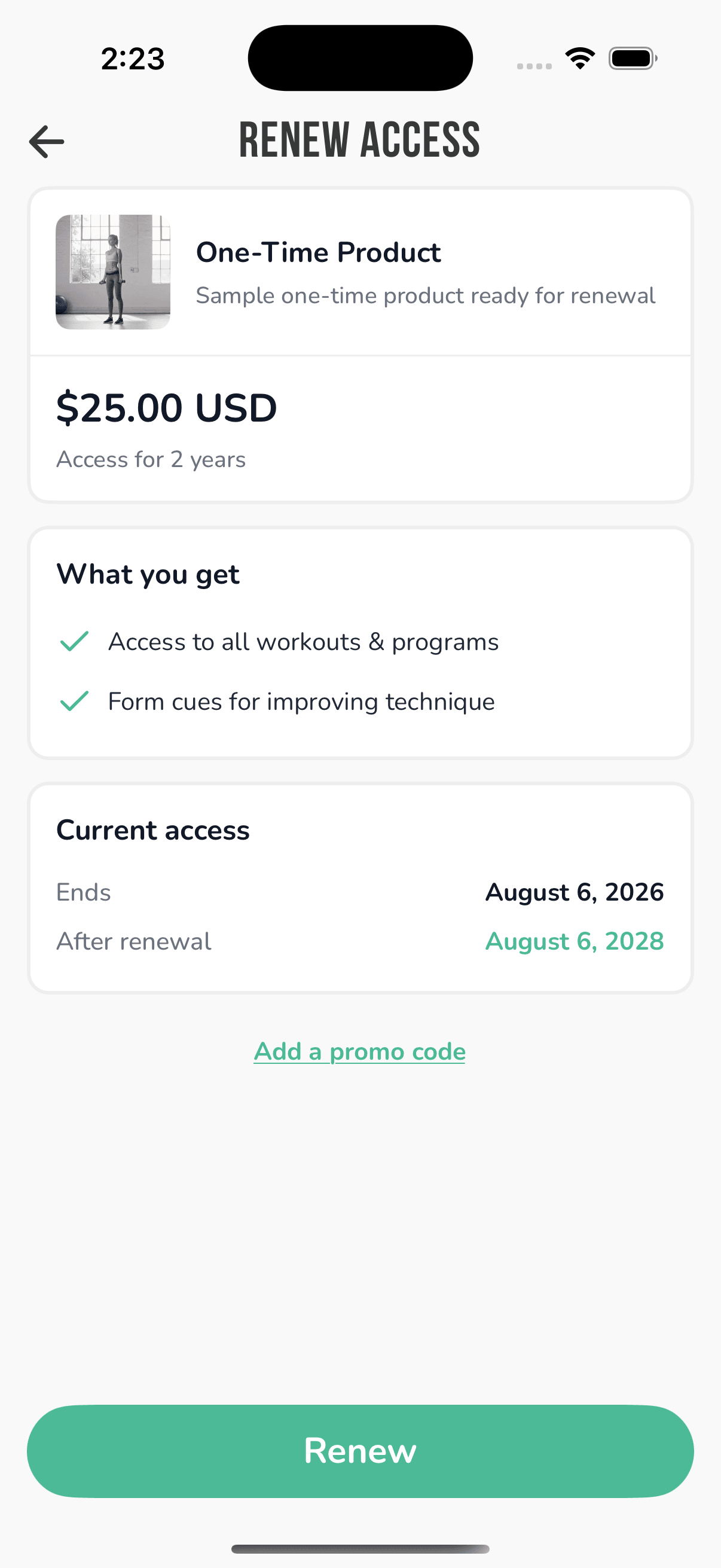
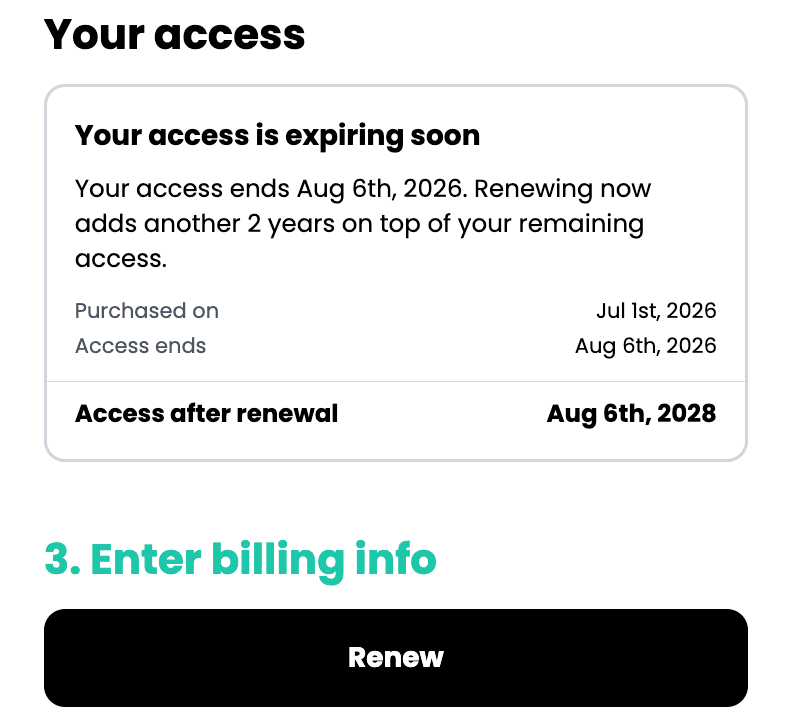
Renewals work on your web checkout pages too: logged-in members now see their purchase date and access end date, with a renewal flow when eligible.
In-App Product Discovery
Members who have purchased a one-time product can now discover and buy your other products without leaving the app:

- A new one-time products list shows everything you have ready for sale, accessible from the Purchased Products page
- When a member finishes a product, they're encouraged to explore what's next
- This only appears for members who've bought a one-time product before
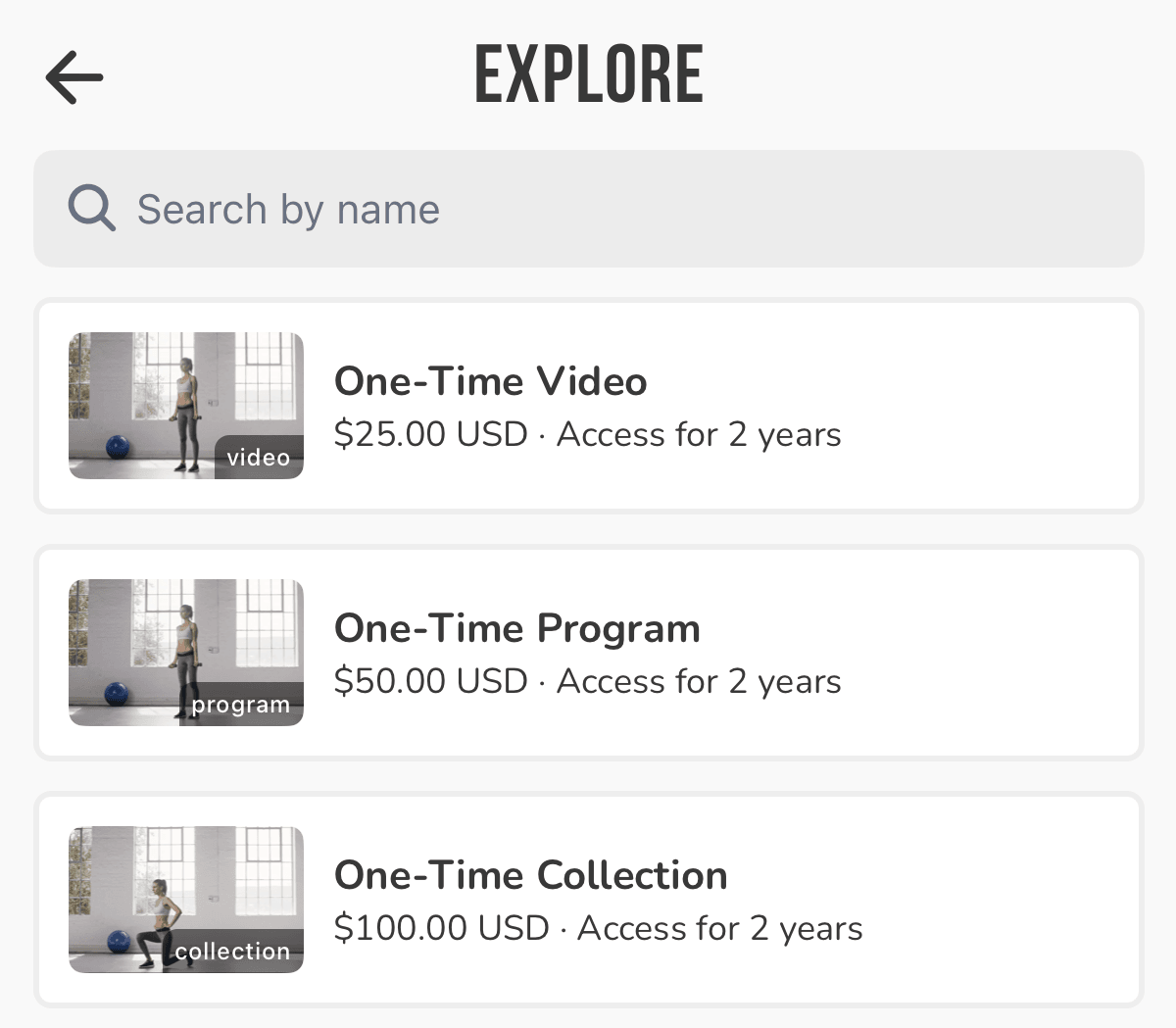
Note: Due to app store policies, in-app purchases and renewals of one-time products are currently only available to members in the US. Members elsewhere can buy and renew from your website's checkout page.
Ready for Sale Checklist
To make sure incomplete products never reach your customers, every one-time product in your dashboard now has a Ready for Sale checklist:
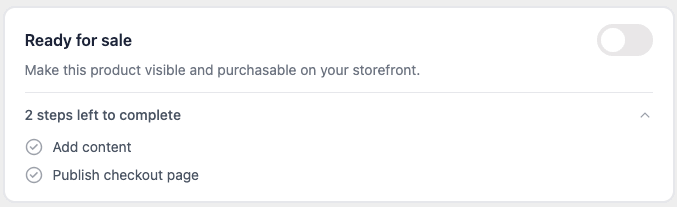
- The checklist shows each step required before selling: name & description, thumbnail, product link, content, price, and a published checkout page
- A new "Ready for sale" toggle controls whether your product is live, and can only be switched on once every step is complete
- While it's off, your sales and checkout pages are hidden and the product won't appear in the app; switch it on and everything goes live
Note: your existing products with a published checkout page are automatically treated as ready for sale, so nothing changes for products you're already selling.
Billing Management at Checkout
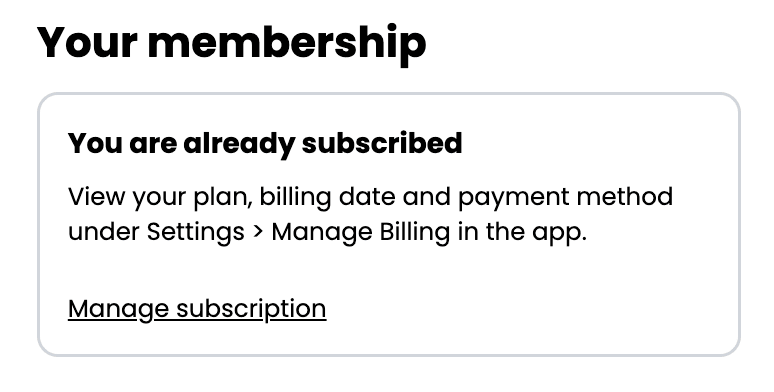
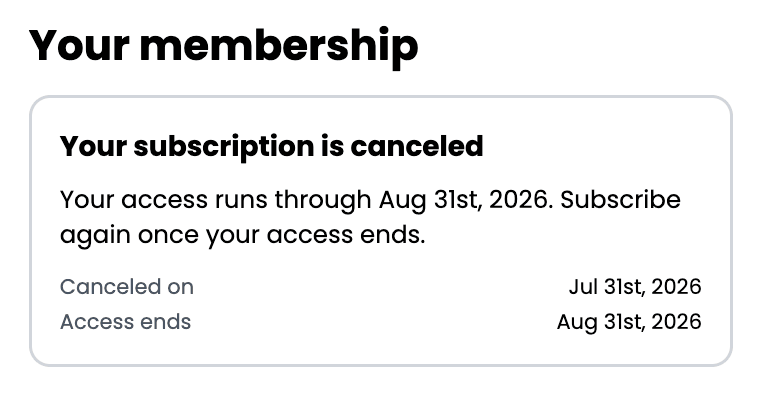
Subscribed members now see their membership status on the checkout page, providing extra clarity to members and a way to access the Stripe Billing Portal directly from their browser.
If their subscription is canceled but still active, the card instead shows their cancellation date and when access ends.
Summary
This release rounds out one-time products into a complete, self-serve experience. Members can see what they own, renew when access ends, and find their next purchase on their own. More ways to sell, with less for you to manage.