Introducing Workout Reminders, a Better Video Player, and Richer Community Replies
This release is all about keeping members coming back. Workout reminders encourage members to train on the days they picked. The video player is smoother on the phone and comes with an improved casting remote. In Community, you can now point members directly to the content they are looking for with content attachments in replies.
- Workout Reminders & Streak Alerts to help members build a training habit
- Video Player Improvements with double-tap to skip and a new casting remote
- Community Reply Upgrades with content attachments and message editing
Workout Reminders & Streak Alerts
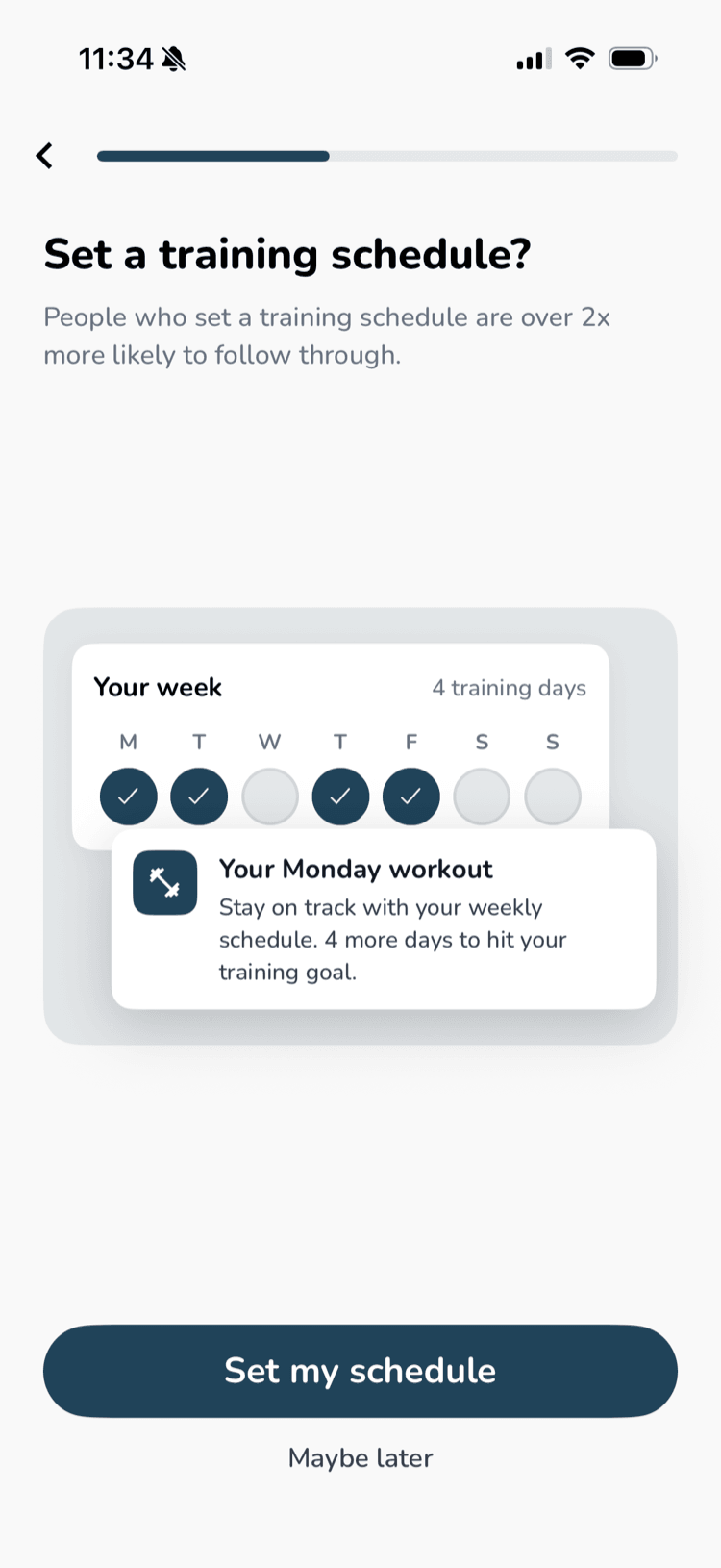
Members can now set a training schedule in your app. They pick the days they're most likely to train and a time, and the app reminds them when it's time.
How it works
- Members are asked to set up reminders at a natural moment, either right after your onboarding quiz or after their first workout. A short guided setup walks them through their weekly goal, training days, and time
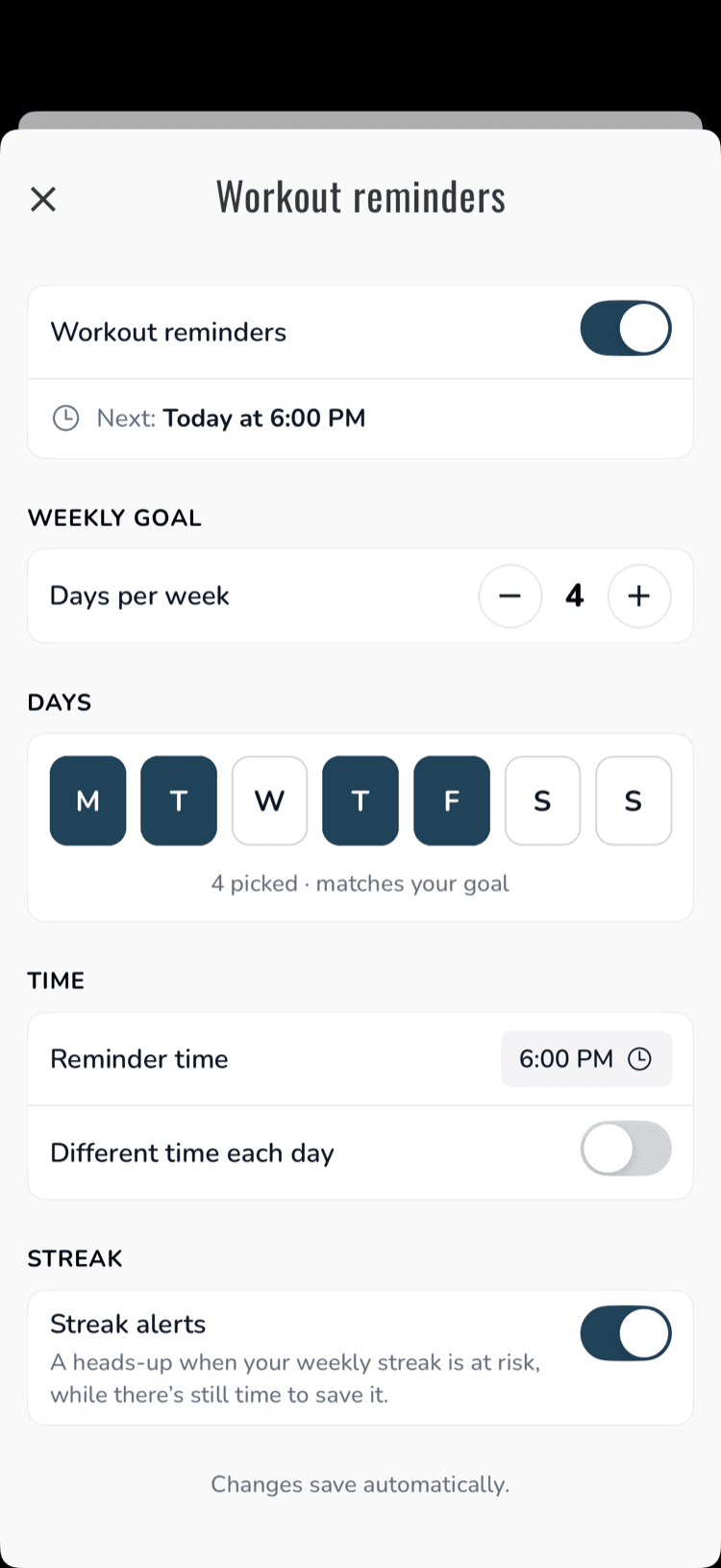
- They can use one time for every day, or a different time each day (for example, weekday evenings and Saturday mornings)
- Each reminder tells them how close they are to their weekly goal, for example:Your Wednesday workoutStay on track with your weekly schedule. 2 more days to hit your training goal.
- If a member has already worked out that day, they don't get a reminder
Streak alerts
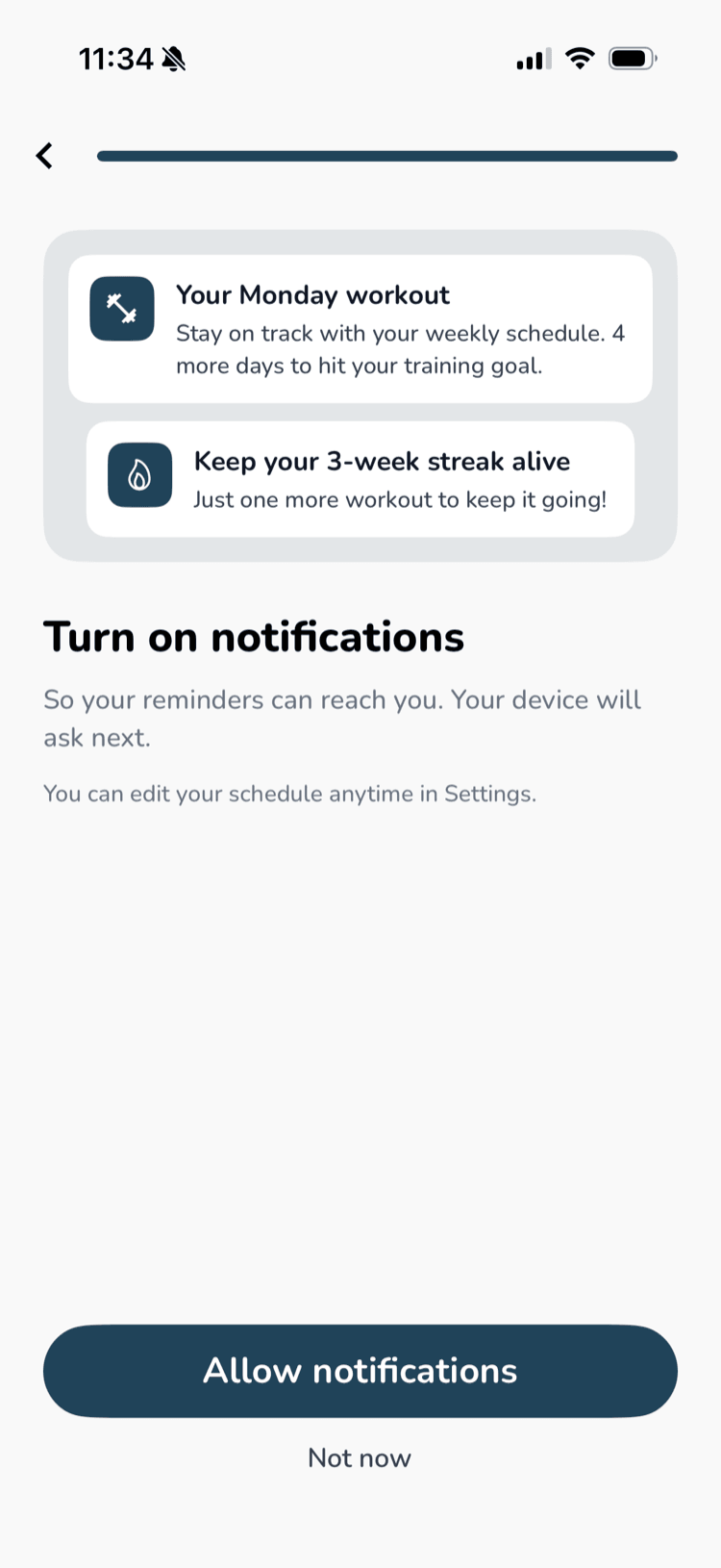
If a member's streak is about to end and they can still reach this week's goal, they get one encouraging nudge, such as "Keep your 3-week streak alive. Just one more workout to keep it going!" They get at most one a week and never two notifications in one day.
Changing their schedule
Members can update their goal, days, and time, or turn reminders and streak alerts off, anytime from Workout reminders in Settings.
Reminders are treated as a premium feature and are only available to paid members by default. If you want free members to get reminders too, turn it on in your dashboard under Account → Advanced → Enable Workout Reminders For Free Users.
Video Player Improvements
We made the video player feel more like the apps your members already use every day.
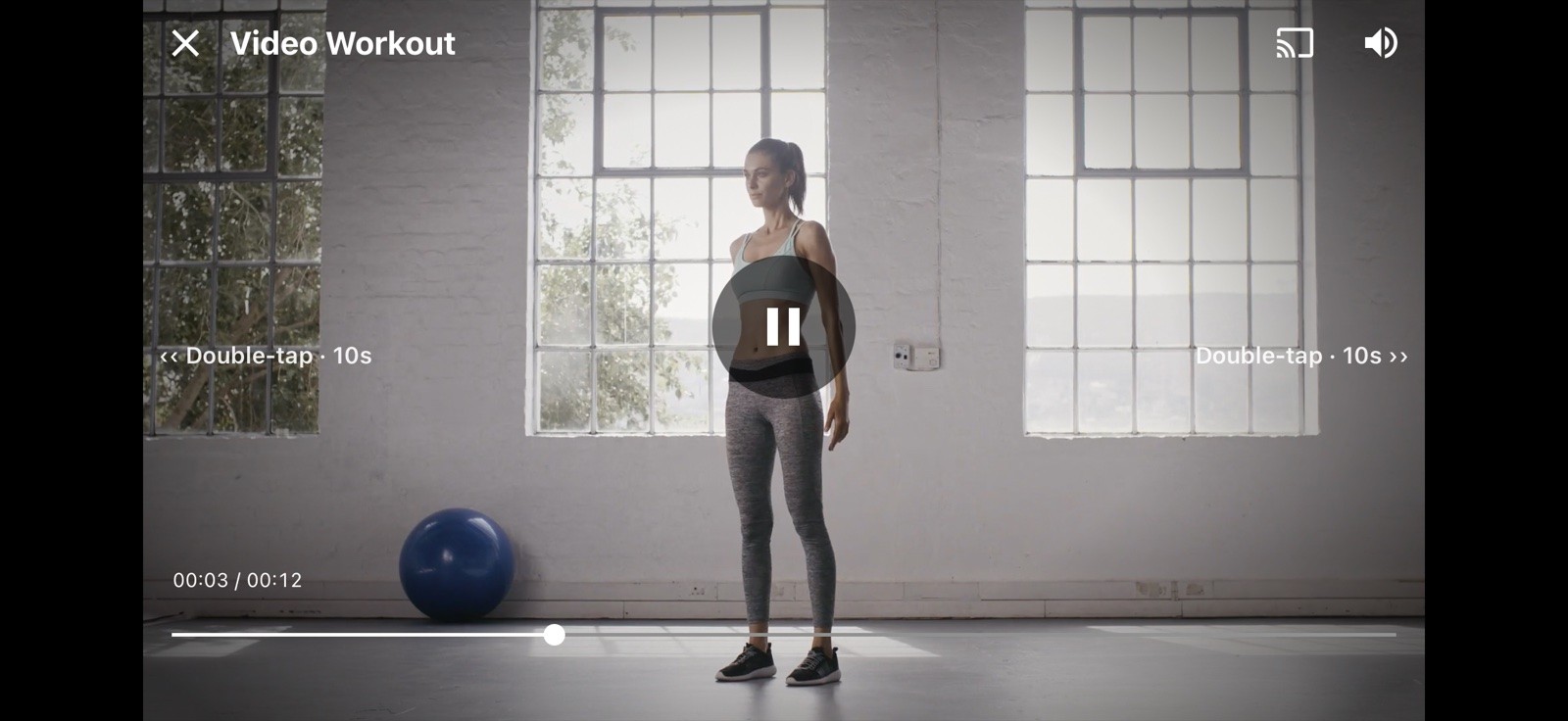
- Double-tap to skip. Members double-tap the left or right side of the video to skip back or forward, like YouTube. Tapping several times quickly adds up the skip. The first few times, a short hint shows them how
- Choose how far to skip. Members can set the skip to 3, 5, 10, or 15 seconds in Workout Preferences
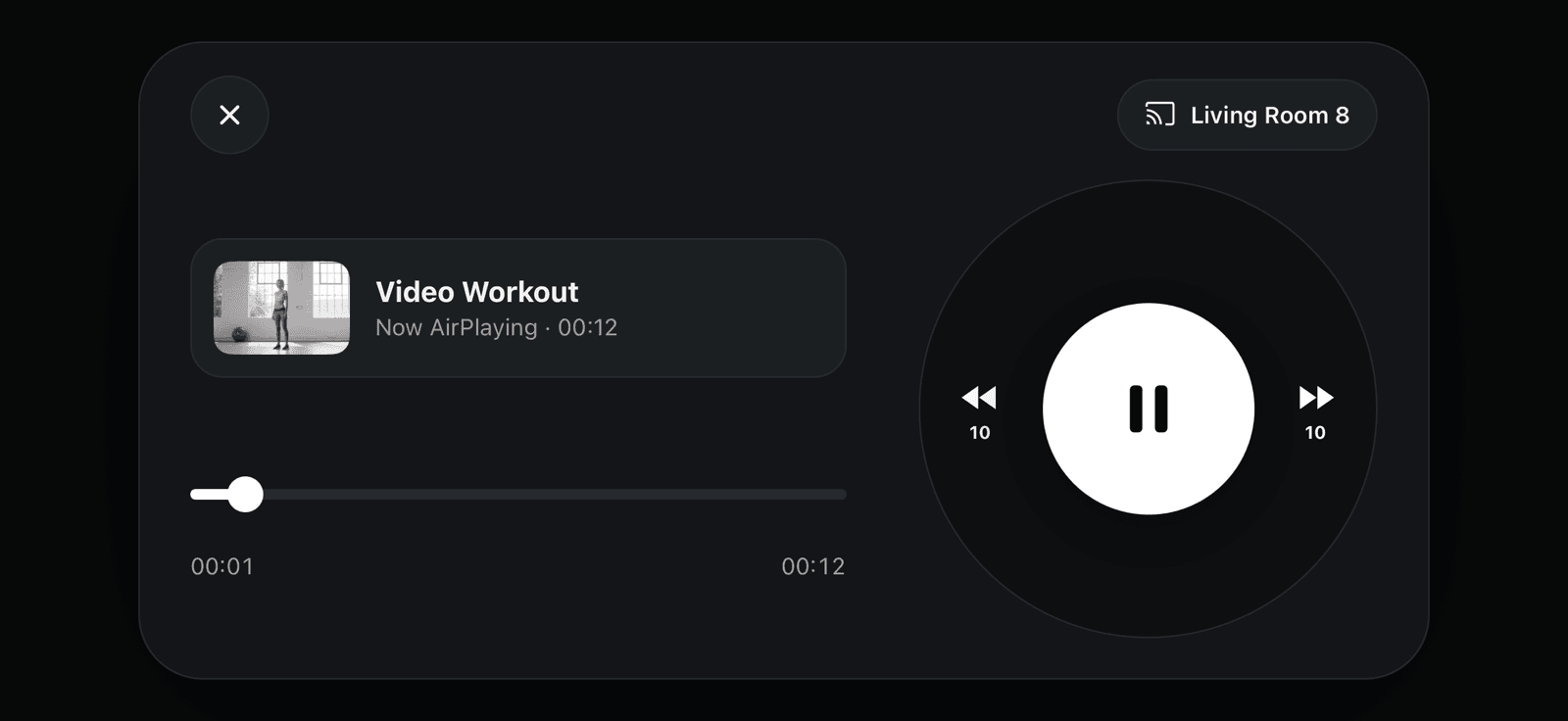
- A new casting and AirPlay remote. When members cast to a TV, their phone shows an improved remote with the video title, artwork, play controls, and a timeline
Community Reply Upgrades
Answering a member's question can now take them straight to the answer.
- Attachments in replies. Just like posts, you can now attach any content (programs, workouts, videos, etc.) to a reply. Members tap the card and go straight to that content in your app
- New attachment types. Exercises, collections, and series can now be attached to both posts and replies
- Edit replies. Made a typo or want to add something? You can now edit your replies after posting
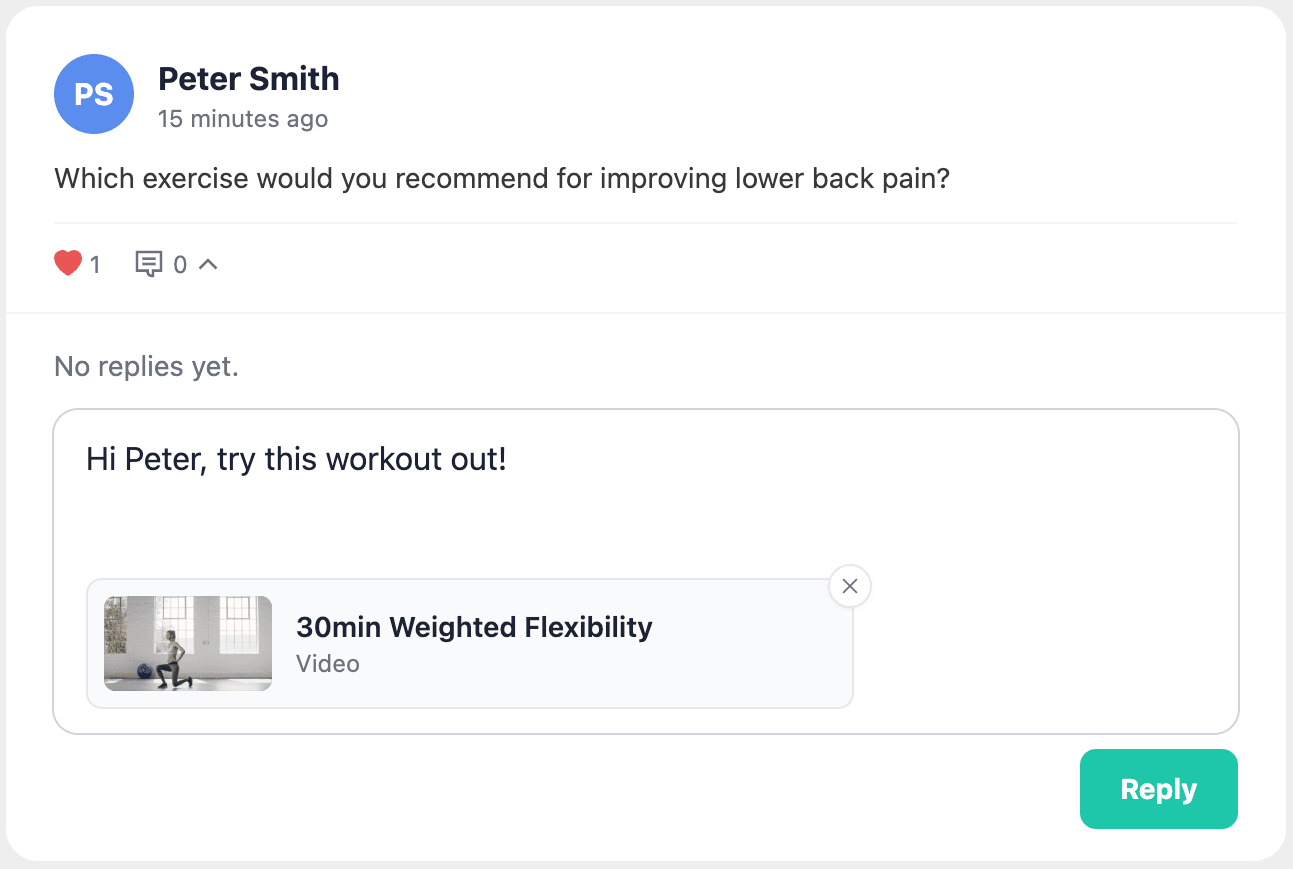
Adding attachments to replies and editing replies are only available in the dashboard for now.
Summary
Workout reminders and streak alerts give members a reason to open your app on the days they planned to train. The improved video player makes those workouts easier to follow on any screen. The Community changes mean every answer you give can take a member directly to the right content.