Introducing Attribution: See Where Your Customers Come From
We're excited to launch Attribution, a new page in your dashboard that shows where your new customers come from. Every new trial and purchase is credited to the platform, link, or campaign that brought it in, so you can see what's actually working.
Open Sell, hit Share on your App subscription, and paste the Instagram, YouTube, and TikTok links into your bios. That alone makes your attribution a lot more accurate. To take it further, create a campaign link for your next promotion or campaign.
The Attribution Page
You'll find Attribution in your dashboard header. It shows your new trials and purchases, split by where they came from:
- Pick any date range going back to August 15, 2026
- Sources are the platforms you share on: Instagram, YouTube, TikTok, Facebook, Email, Google search, and any custom source you set up
- Clicks from inside the Instagram or TikTok app are credited automatically, even without a tracked link
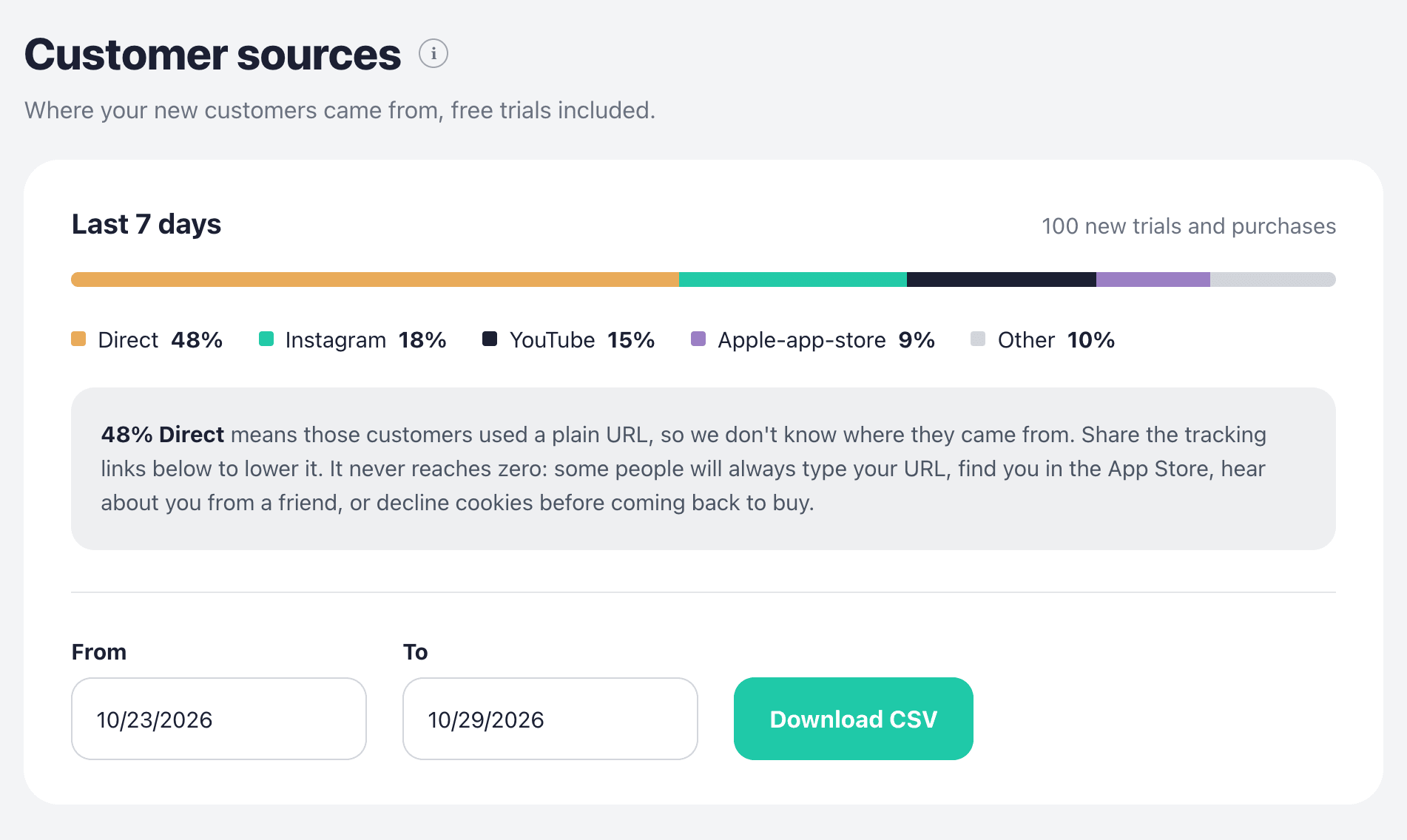
Direct means the customer arrived with a plain link and no referring site. Expect it to be a big share at first. It goes down as you share tracked links.
Download Your Customers
Click Download CSV to export the full list of new trials and purchases for the date range you picked. Each row includes the customer's email, where they came from, the product and price, whether they started on a free trial, and when the trial converted.
Share Buttons on Sell
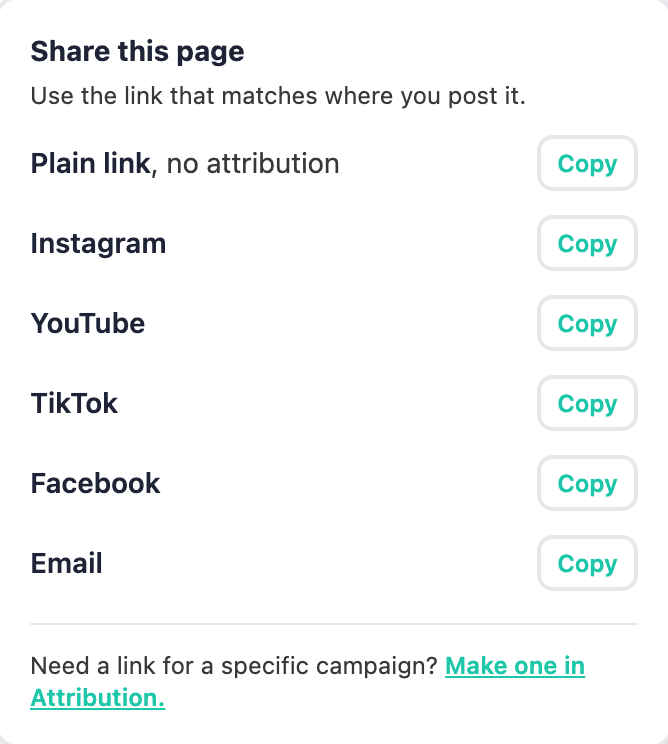
The easiest way to start is from Sell. Every card, including the App subscription and each one-time product, now has a Share button with a ready-made tracked link for each place you post:
- Instagram bio
- YouTube channel
- TikTok bio
- Facebook page
- Email newsletters or signature
Campaign Links
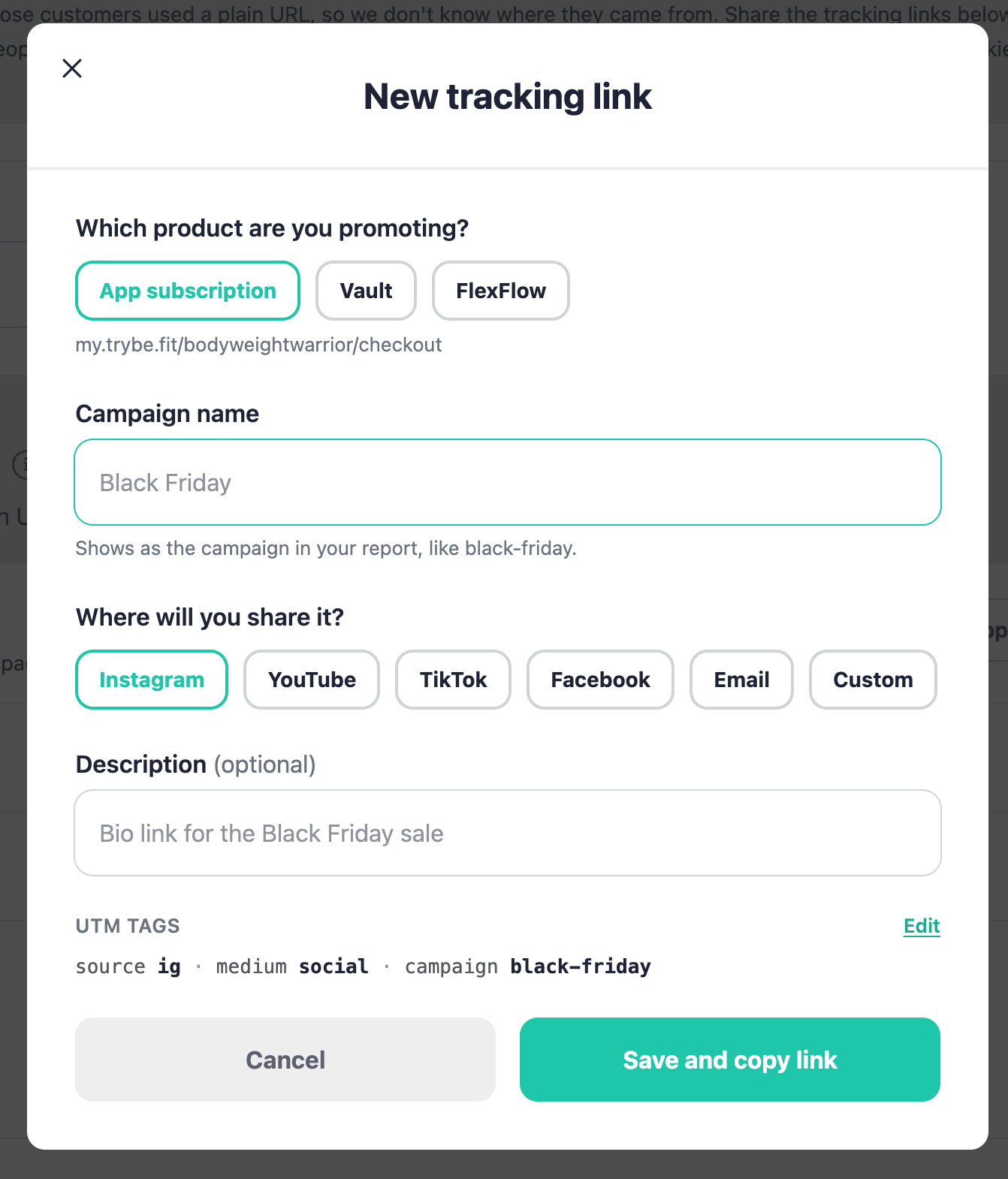
For a launch, a promotion, or an affiliate partner, create a dedicated link on the Attribution page. Click New tracking link, pick the product, give it a campaign name like "Black Friday", and choose where you'll share it. The link is saved and copied, and everything that comes through it shows up under that campaign's name in your report.
How credit works
- Someone who clicks your tracked link but buys later still counts, as long as it's within 30 days
- App purchases are credited when the buyer installed through a tracked Trybe app link. Installs from App Store or Google Play search show up as App Store or Google Play
Attribution is about where customers come from. Revenue, payouts, and retention are still in Stripe.
Summary
Attribution gives you a clear picture of where your new customers come from. Share the tracked links from Sell, create campaign links for your promotions, and check the Attribution page to see what's working.