Video Player & Casting Improvements
We made the video player feel more like the apps your members already use every day. Skipping is now a quick double-tap, and casting to a TV comes with an improved remote.
- Double-Tap to Skip with a skip amount members can choose
- A New Casting & AirPlay Remote with smoother switching between TV and phone
Double-Tap to Skip
Members double-tap the left or right side of the video to skip back or forward, like YouTube. Tapping several times quickly adds up the skip.
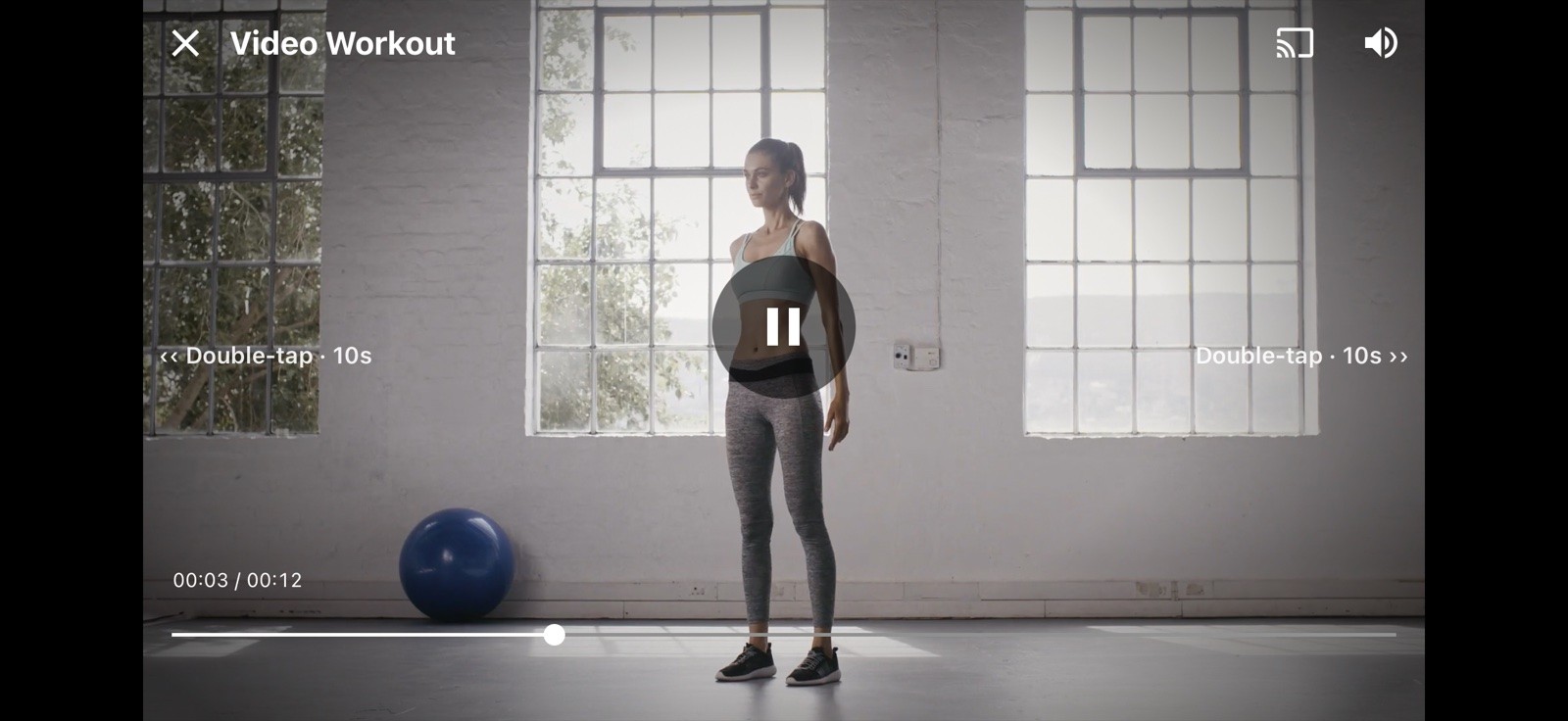
Members can also choose how far each skip goes: 3, 5, 10, or 15 seconds, in Workout Preferences.
A New Casting & AirPlay Remote
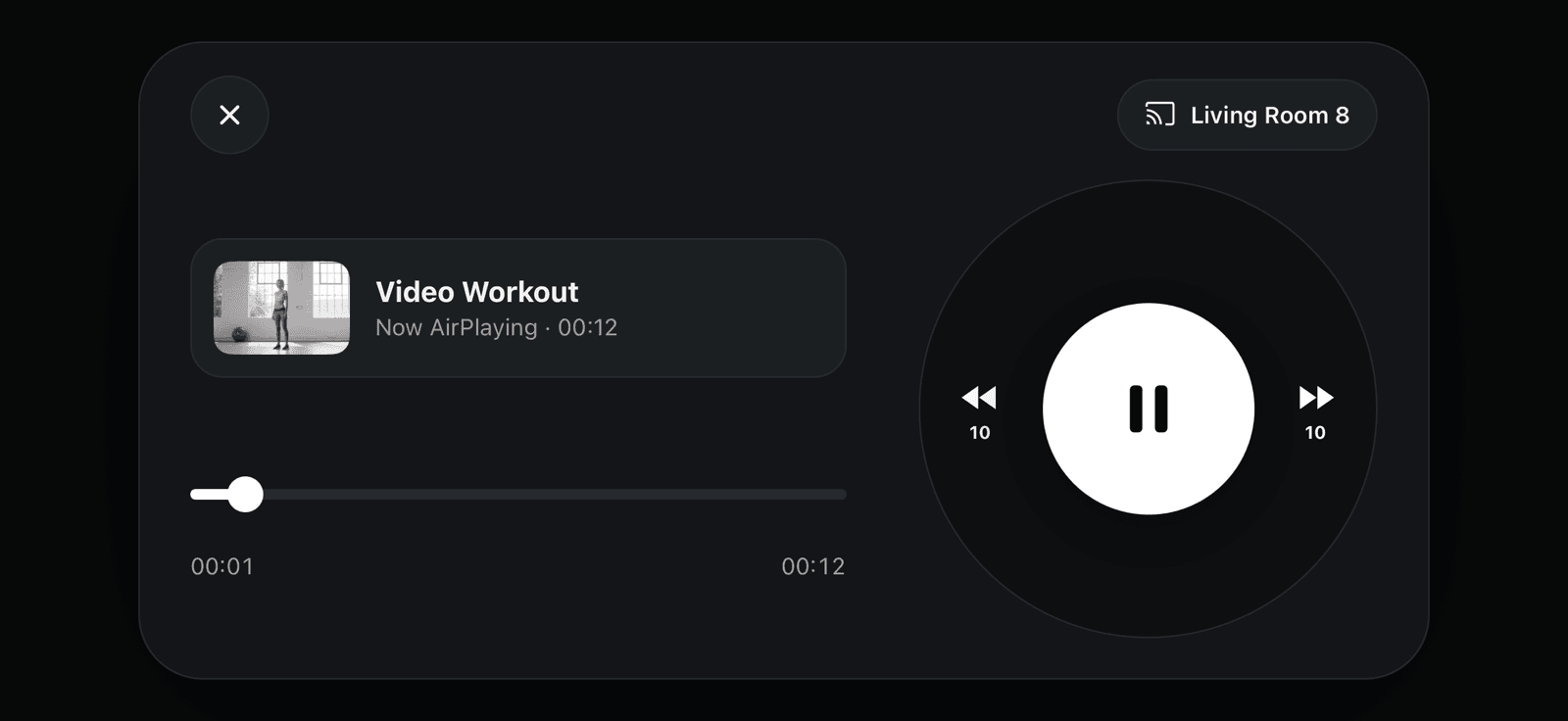
When members cast to a TV, their phone shows an improved remote with the video title, artwork, play controls, and a timeline.
We also made a number of smaller improvements so switching back and forth between casting and watching on the phone feels seamless.
Summary
Double-tap to skip makes it quicker for members to find their place in a video, and the new remote makes following along on a TV just as easy as on their phone.