Introducing Training Schedules, Workout Reminders & Streak Alerts
Workout reminders encourage members to train on the days they picked, and streak alerts give them a nudge when one more workout keeps their streak alive. Together, they keep members coming back to your app.
- Workout Reminders based on each member's training schedule
- Streak Alerts to help members keep their streak going
- Easy Schedule Changes from one settings page
Workout Reminders
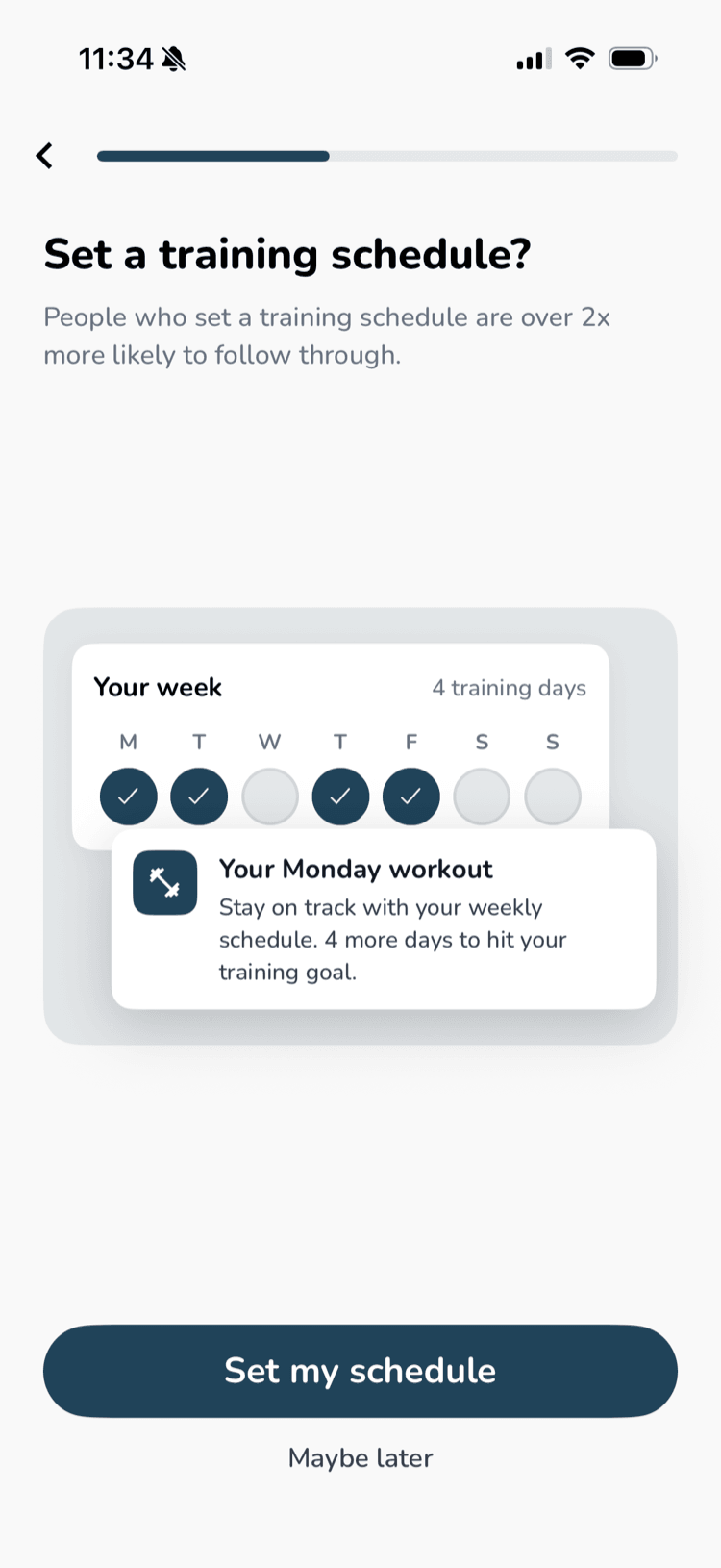
Members can now set a training schedule in your app. They pick the days they're most likely to train and a time, and the app reminds them when it's time.
How it works
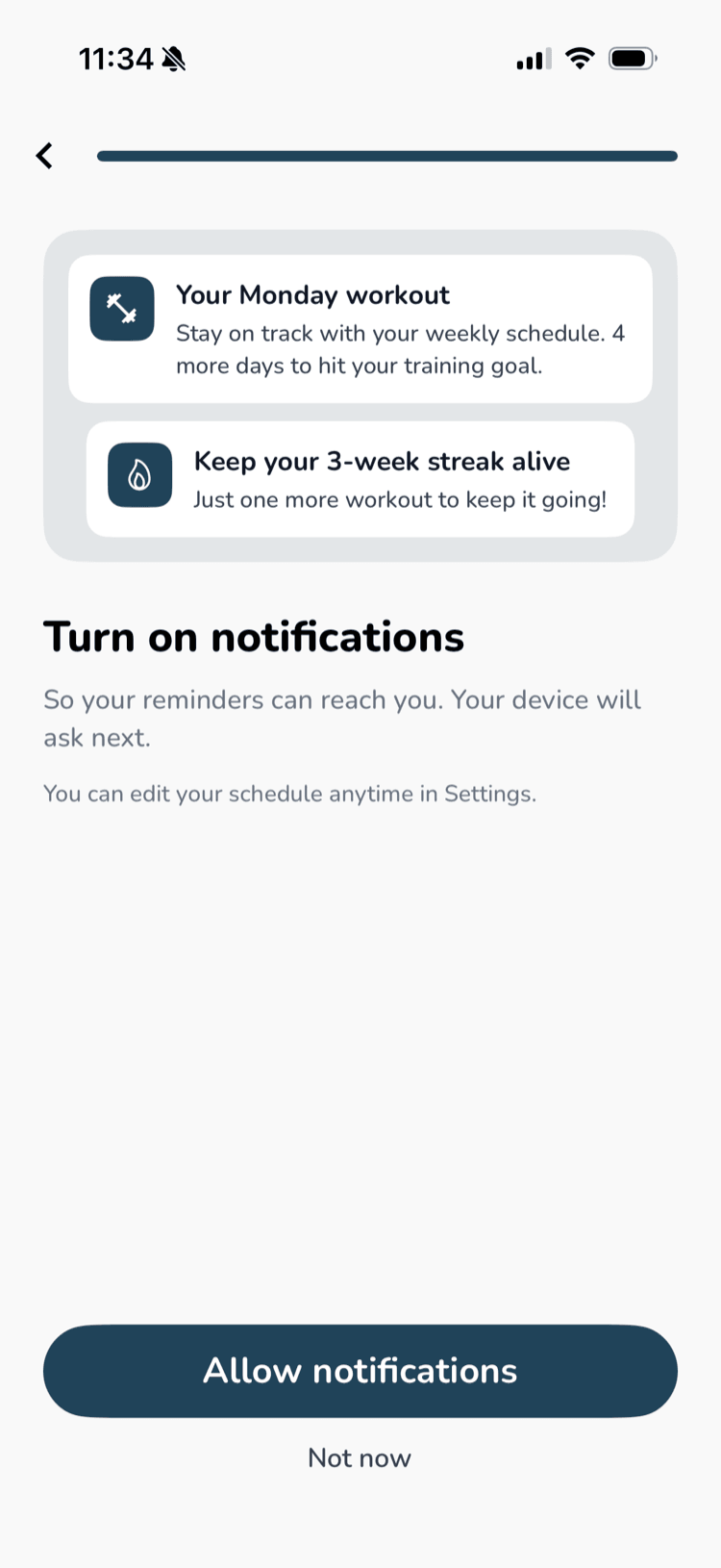
- Members are asked to set up reminders at a natural moment, either right after your onboarding quiz or after their first workout. A short guided setup walks them through their weekly goal, training days, and time
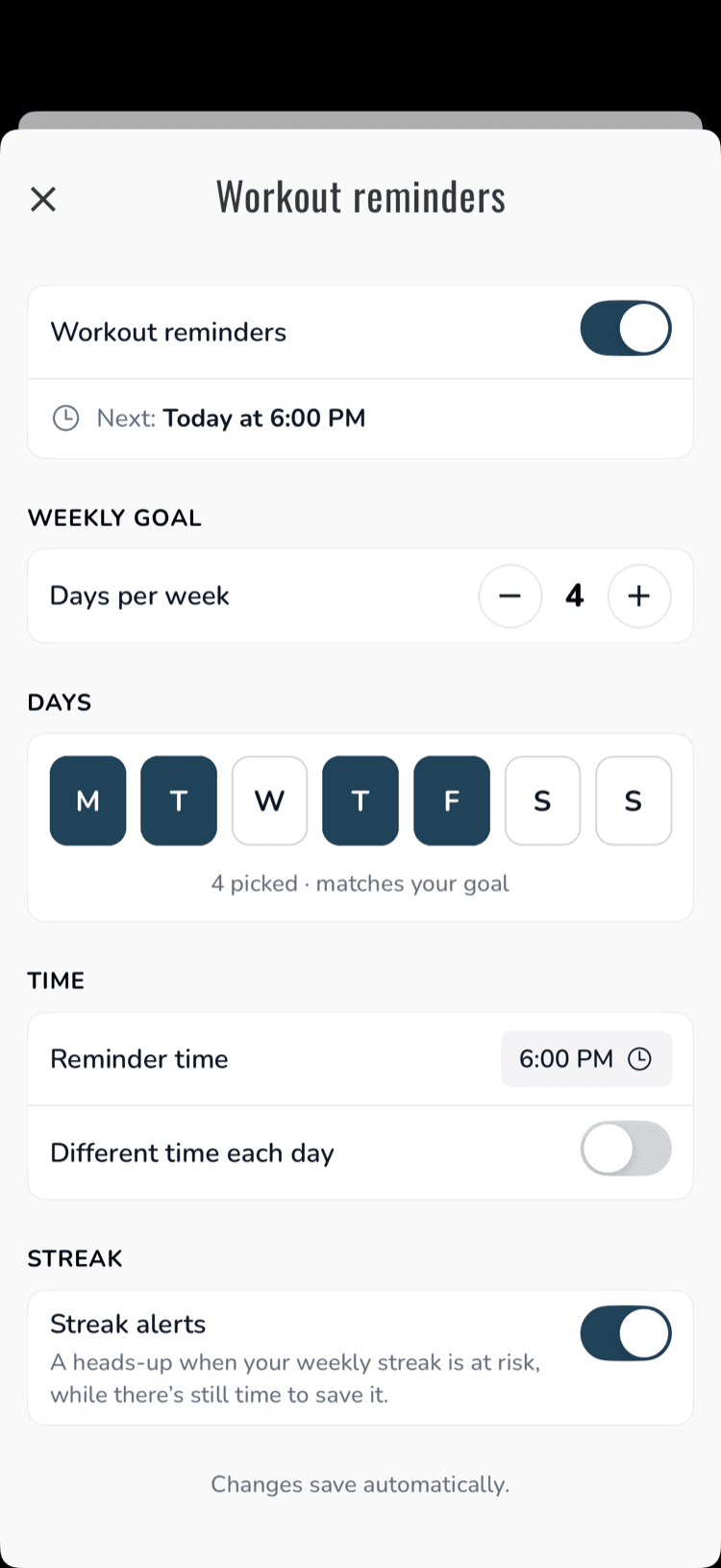
- They can use one time for every day, or a different time each day (for example, weekday evenings and Saturday mornings)
- Each reminder tells them how close they are to their weekly goal, for example:Your Wednesday workoutStay on track with your weekly schedule. 2 more days to hit your training goal.
- If a member has already worked out that day, they don't get a reminder
Streak Alerts
If a member's streak is about to end and they can still reach this week's goal, they get one encouraging nudge, such as "Keep your 3-week streak alive. Just one more workout to keep it going!" They get at most one a week and never two notifications in one day.
Easy Schedule Changes
Members can update their goal, days, and time, or turn reminders and streak alerts off, anytime from Workout reminders in Settings.
Reminders are treated as a premium feature and are only available to paid members by default. If you want free members to get reminders too, turn it on in your dashboard under Account → Advanced → Enable Workout Reminders For Free Users.
Summary
Workout reminders and streak alerts give members a reason to open your app on the days they planned to train. Because every reminder is built around a member's own goal and schedule, it feels like an alarm they set for themselves, not a promotion.